Parts Implemented by Doğay Kamar
Actors
Actors are who portrays a role in a theater play. They are not users of the website and can only be added, edited or deleted by admins. The operations are only accessible through admin panel.

Add Actor/Search Actor
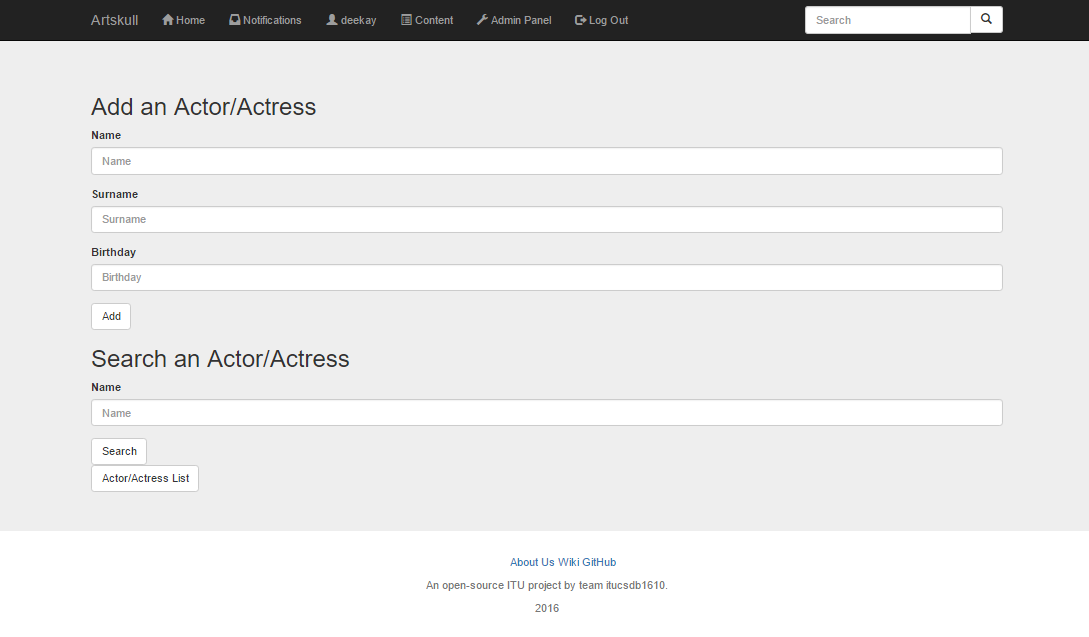
“Add Actor” page is accessed through admin panel. Actor name, surname and birthday are given by the admin and submitting the form adds the actor to database. Admins can search an actor/actress or list all of the actors/actresses from the lower form. If “search” button is clicked, the name entered is search, or if “Actor/Actress List” button is clicked, all of the actors/actresses are listed.
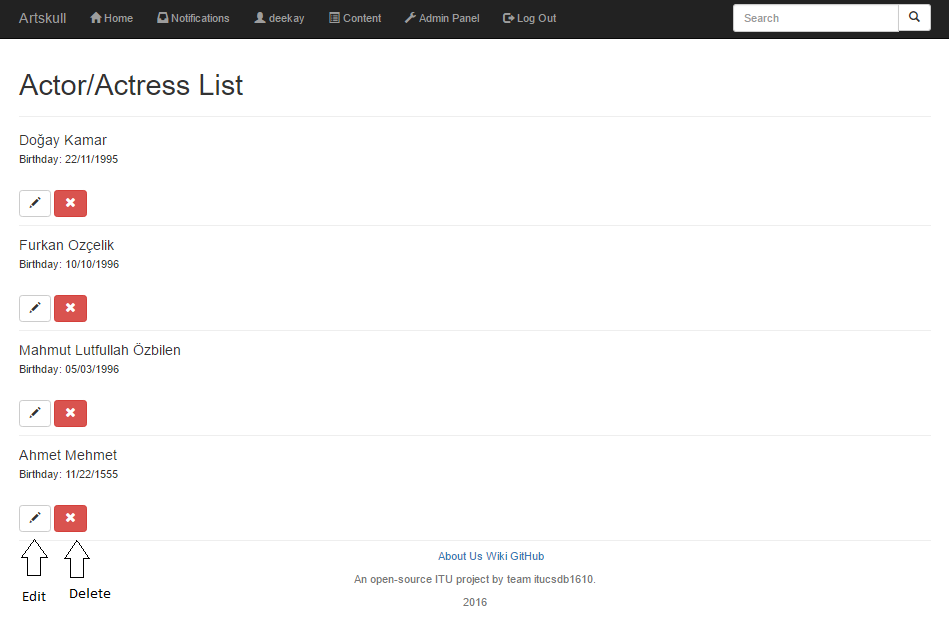
List of Actors and Actresses / Edit and Delete Actor
Actors can be deleted by the red button ( shown below ). Clicking the button will instantly delete the actor/actress from the database. The pencil button is for editing an actor and direct the admin to an edit page.
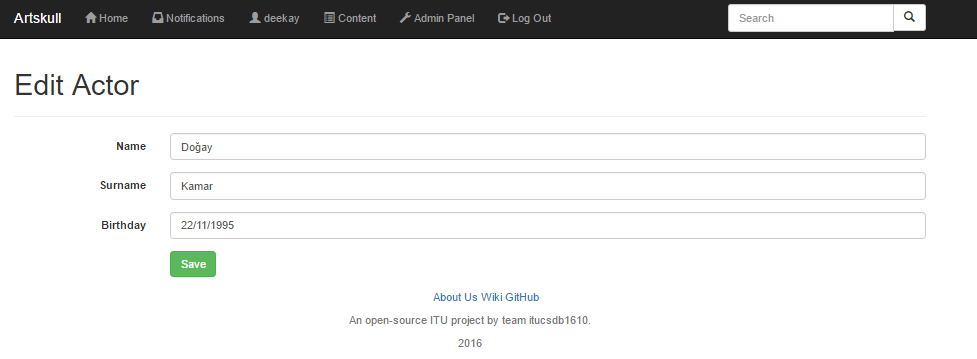
Already existing info about the actor is visible in “Edit Actor” page. Admin can change the values here and save the new information.
Cast
Cast of a play
Cast of a play can be operated by admins through a button that is only visible to admins in the contents list page. The button pointed below will direct the admin to “Edit Cast” page of the specific play.
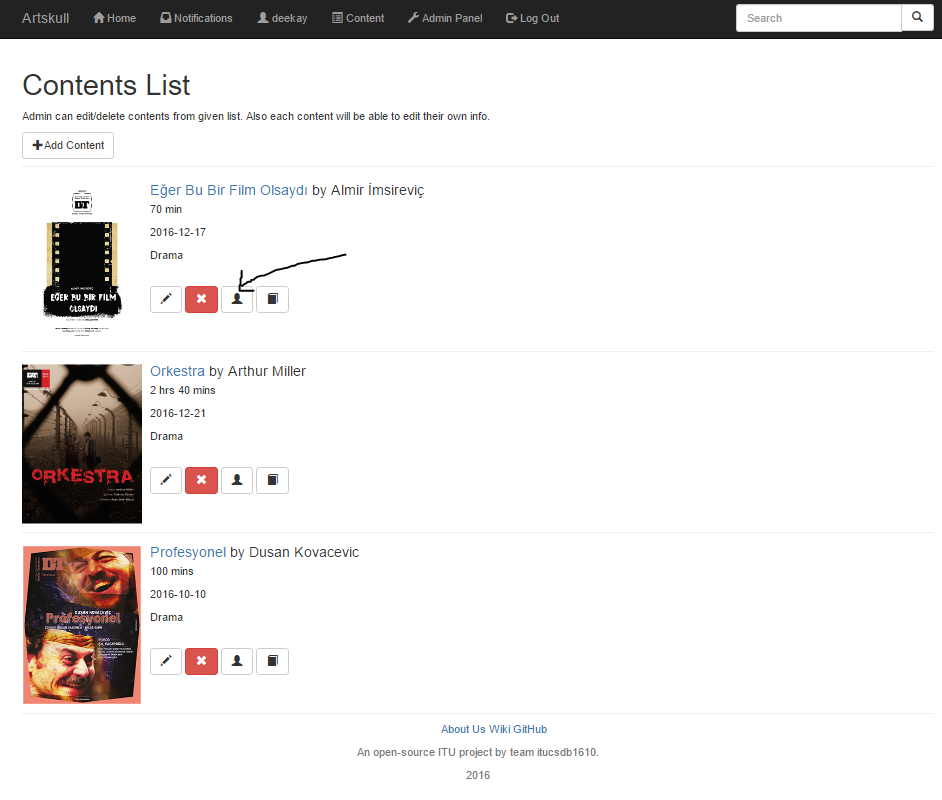
Here, admins can see the present cast of the content. By searching an actor/actress or listing all actors/actresses from the actor database, admin can add another actor/actress to the cast.

Add Actor
Admin clicks on the checkboxes of the actors that they want to add to cast, and give the order info of the actor. Clicking the submit button adds the checked actors/actresses to the cast. (Important: Order is only changed if the checkbox is selected.)
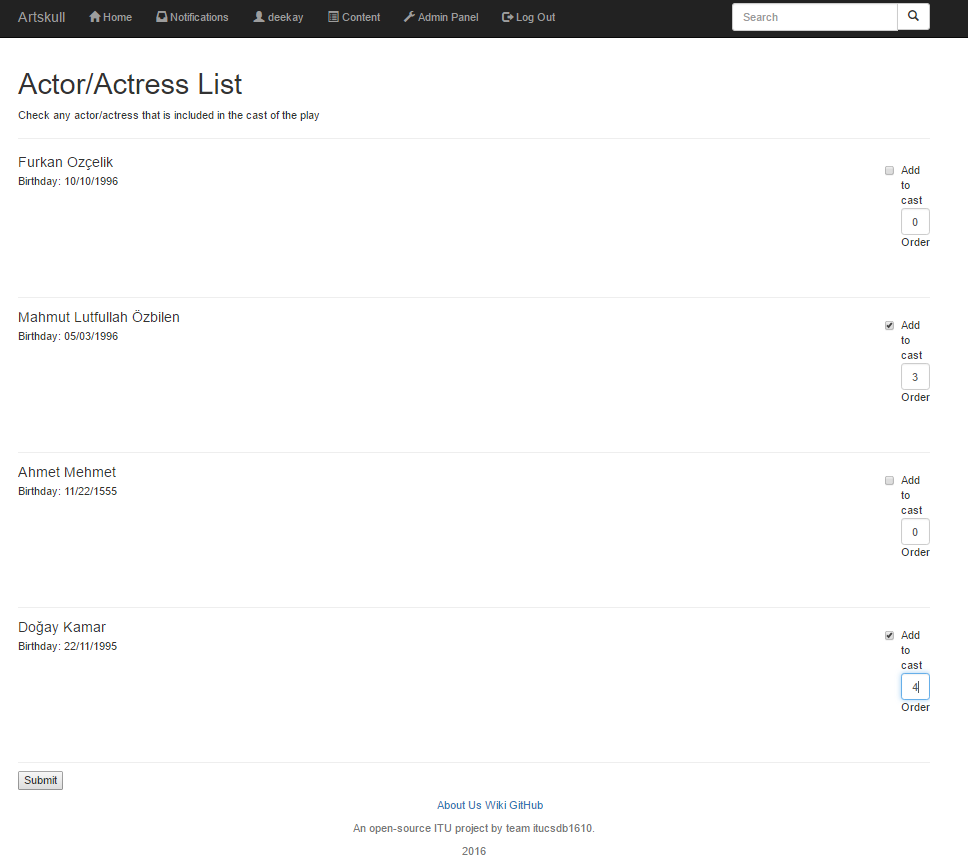
Edit/Delete Cast
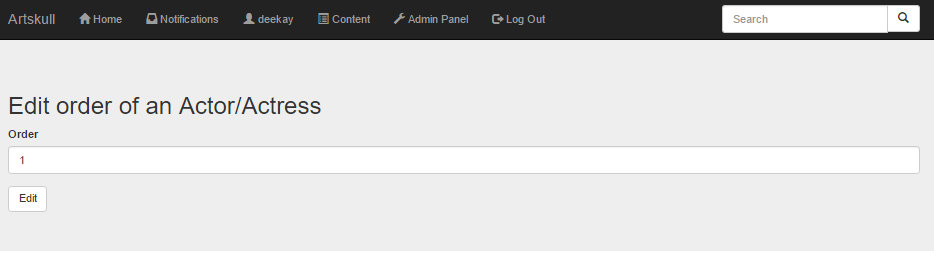
Newly added cast is now seen in “Cast of the play” section of the page, ordered by their “Order” attribute. Admin can remove the actor from the cast by clicking the “delete” button shown below ( this does not delete the actor, only removes them from the cast of a specific play ). When clicked, actor is instantly removed from the cast. Admin can also edit the order attribute of an actor/actress by clicking “Edit” button shown below.
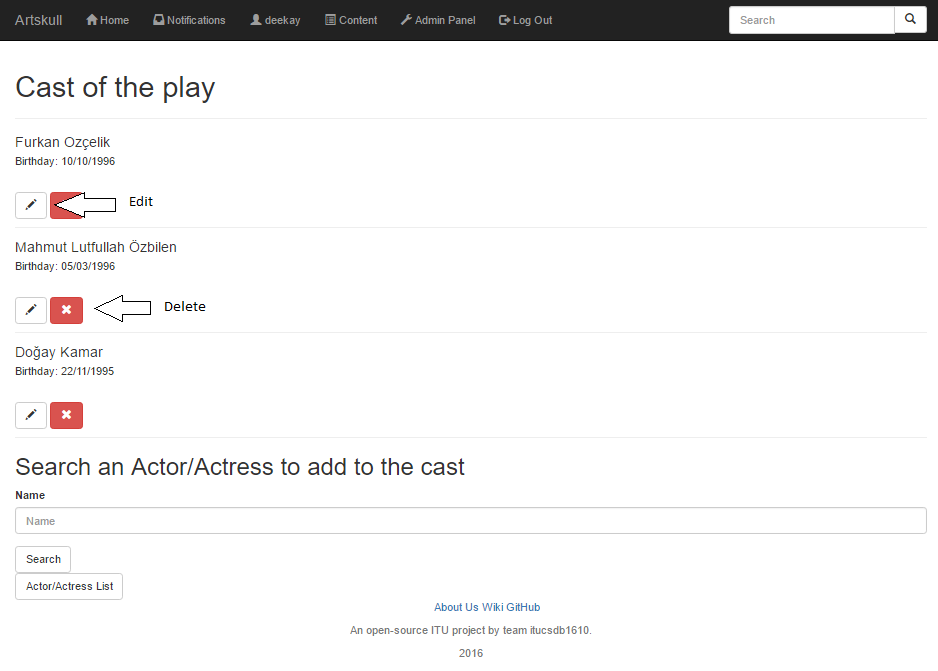
After changing the order value, clicking on “Edit” button saves the new “Order” value of the actor in a specific cast of a play.